

Host Palworld Servers
For FREE with PSM.
The ultimate desktop app to launch, configure, and automate Palworld Dedicated Servers. One-click SteamCMD setup, visual INI config, and auto-backups.

Everything You Need to Host
Replace tedious terminal commands with a clean, powerful GUI manager.
FREE Server Manager
100% free open-source desktop app for Windows PC and VPS.
SteamCMD Installer
One-click automated installation of official dedicated server binaries.
Visual INI Config
Customize gameplay rules, EXP rates, and capture speeds visually.
Power Controls
Instant Start, Stop, and Restart controls with safe process shutdowns.
Live Status Telemetry
Monitor active players, CPU load, RAM usage, and uptime in real time.
RCON Live Console
Interactive RCON terminal for in-game broadcasts and admin commands.
Player Management
Inspect online players, Steam IDs, ping, and perform instant Kick/Ban.
Server Logs
Searchable stdout/stderr console logs and administrative audit trail.
Automatic Backups
Scheduled save-state backups with one-click world rollbacks.
Scheduled Restarts
Automated periodic server reboots to prevent memory leak lag.
Crash Recovery
Watchdog monitor that instantly restarts crashed server processes.
Raw INI Sync
Bidirectional sync between visual UI sliders and raw INI files.
Gameplay Rules
Fine-tune PvP, egg incubation, drop rates, and player limits.
Mod Management
Install and toggle server-side Palworld mods effortlessly.
Windows Firewall Tools
One-click inbound & outbound rule injection for Palworld ports.
Network Diagnostics
Verify UDP ports (8211, 27015, 25575) visibility and NAT status.
CPU Core Affinity
Bind server process threads to specific CPU cores for peak tick rates.
Resource Controls
Set RAM thresholds to auto-save and reboot before lag spikes occur.
App Interface Showcase
Explore screenshots of PSM in action. Click any image to view full resolution.
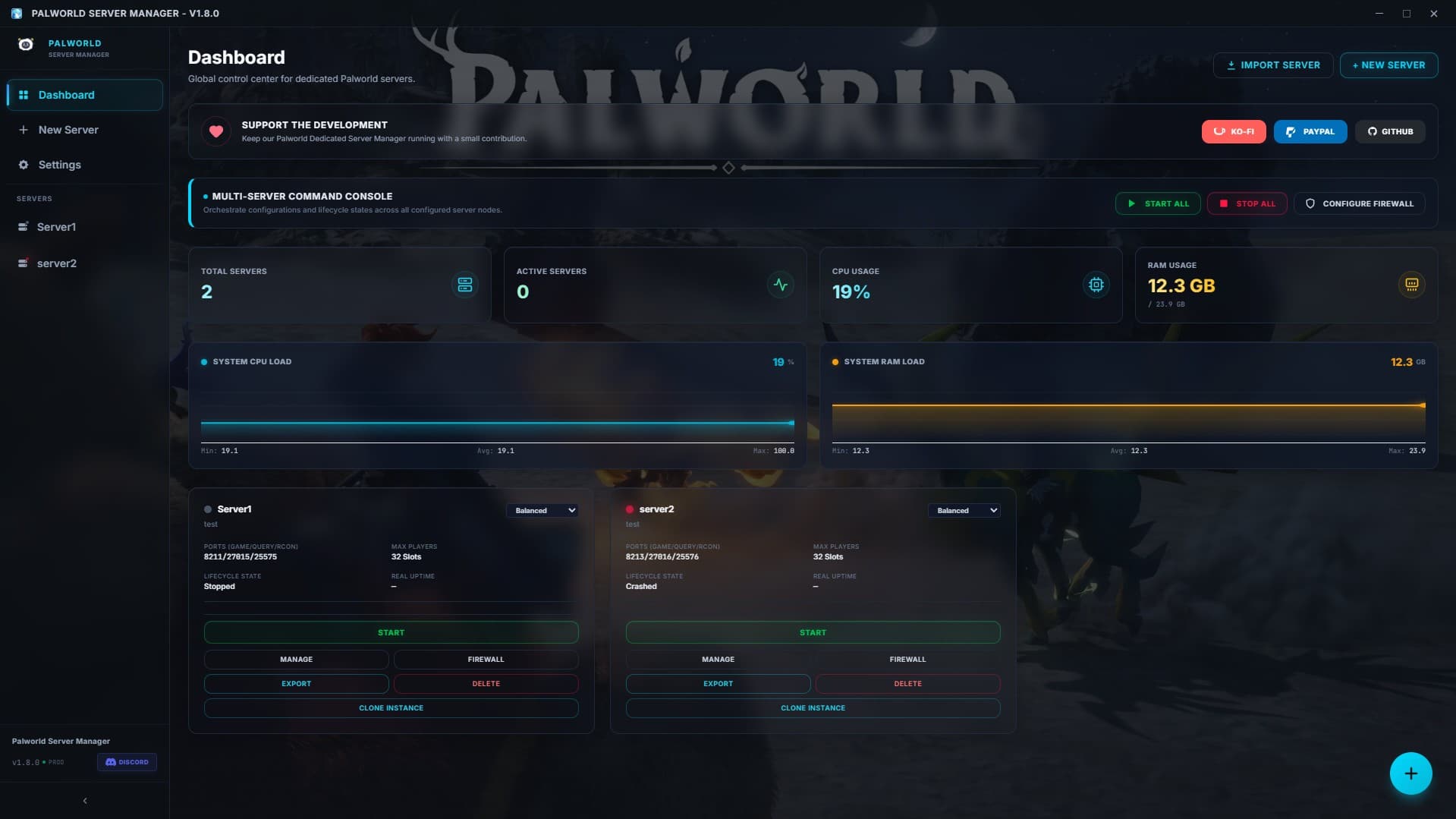
Main Dashboard & Control Panel
Real-time server metrics, Start/Stop/Restart controls, quick status summary, and process monitoring.
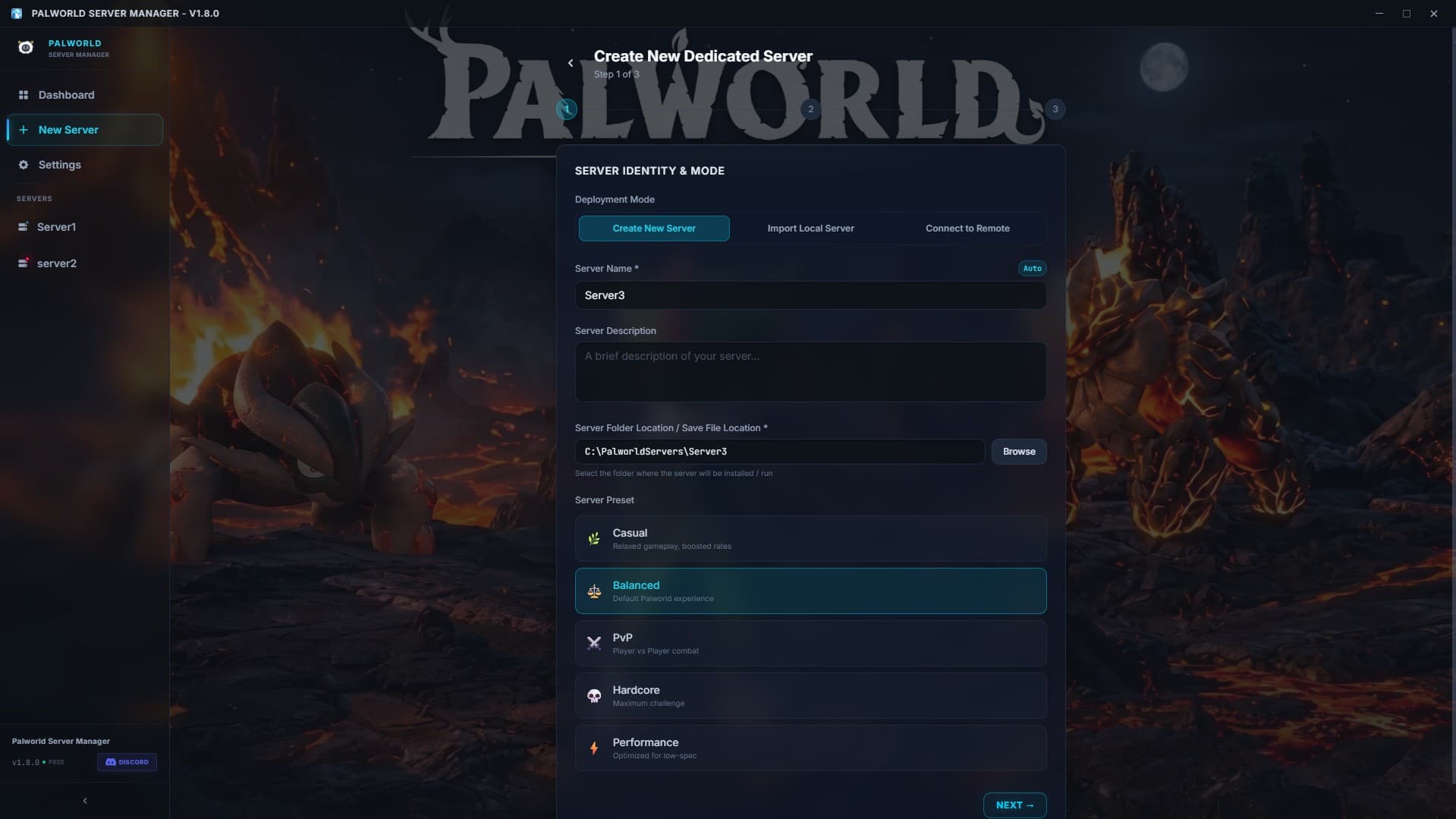
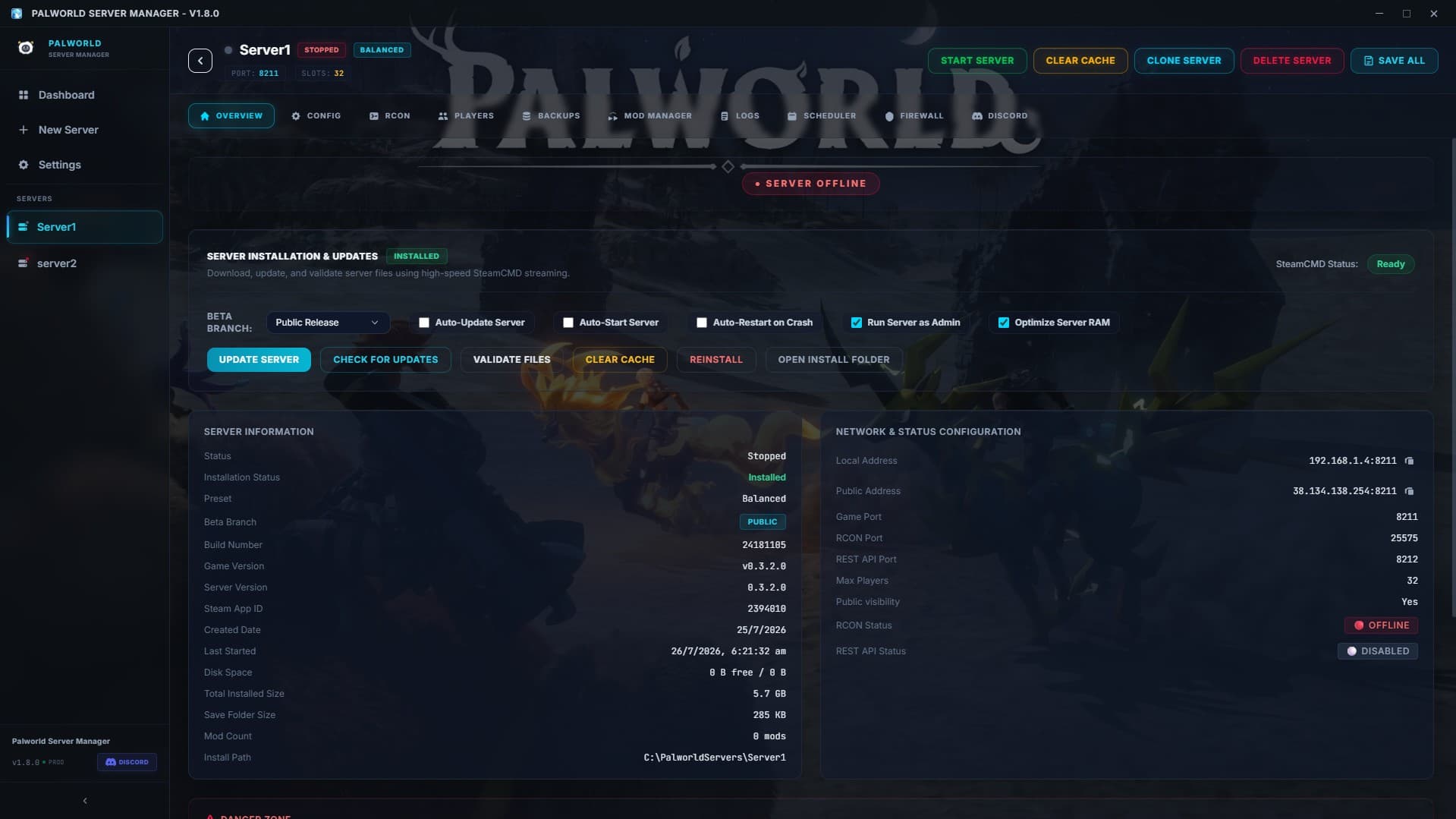
SteamCMD Server Installer
Automated SteamCMD download, validation, and one-click Palworld Dedicated Server setup.
Live Server Status & Resource Monitor
Live CPU usage, memory consumption, player count indicators, and server uptime tracking.
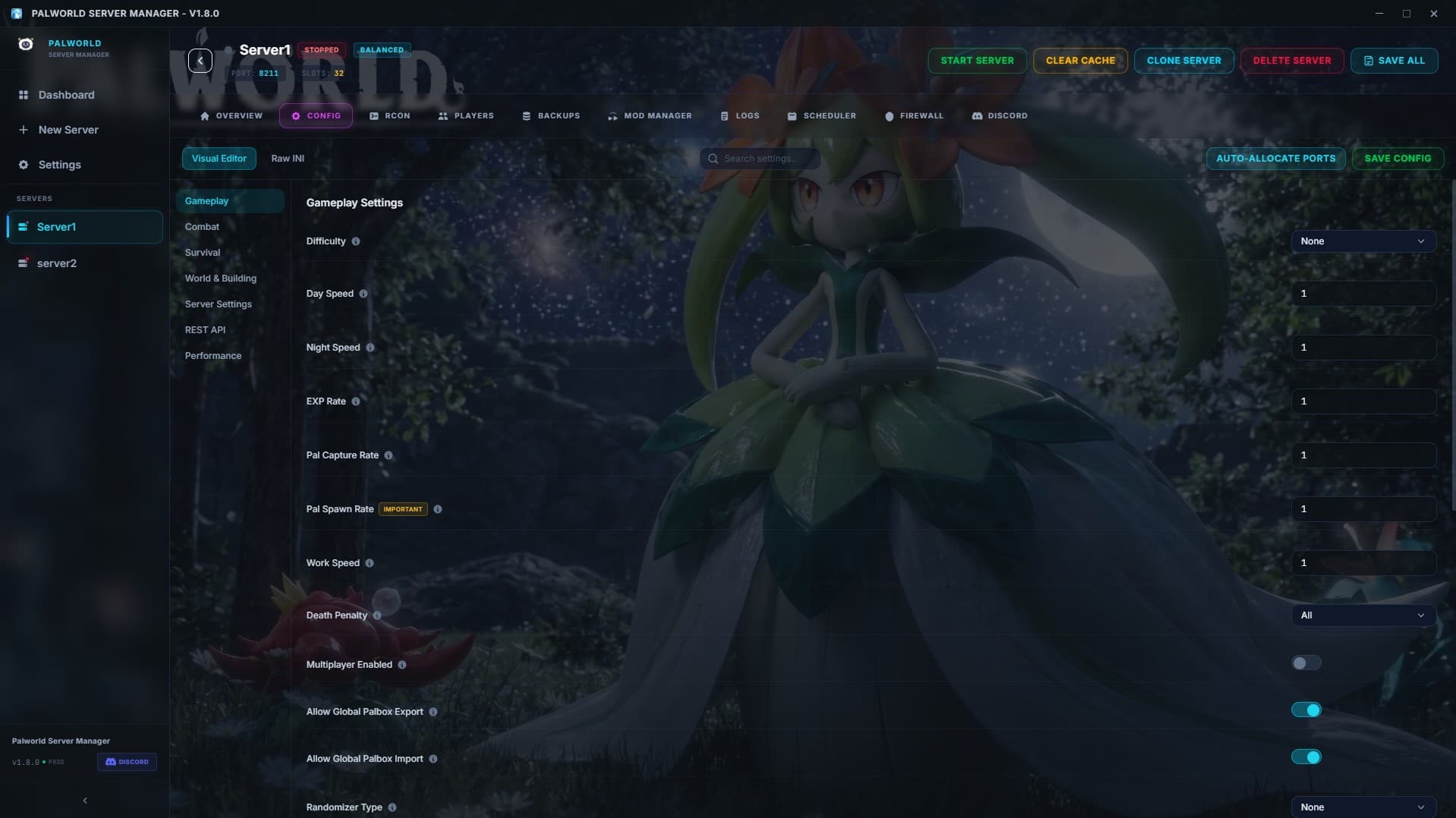
Visual Server & Gameplay Configuration
Intuitive sliders and toggles to adjust EXP rates, capture rates, damage multipliers, and day/night speeds.
Raw INI Settings Editor
Direct editing mode for PalWorldSettings.ini with syntax validation and live configuration syncing.
Presets & Difficulty Profile Manager
Save, import, and load server presets (Casual, Hardcore, 32-Player Guild, Hard Mode) in one click.

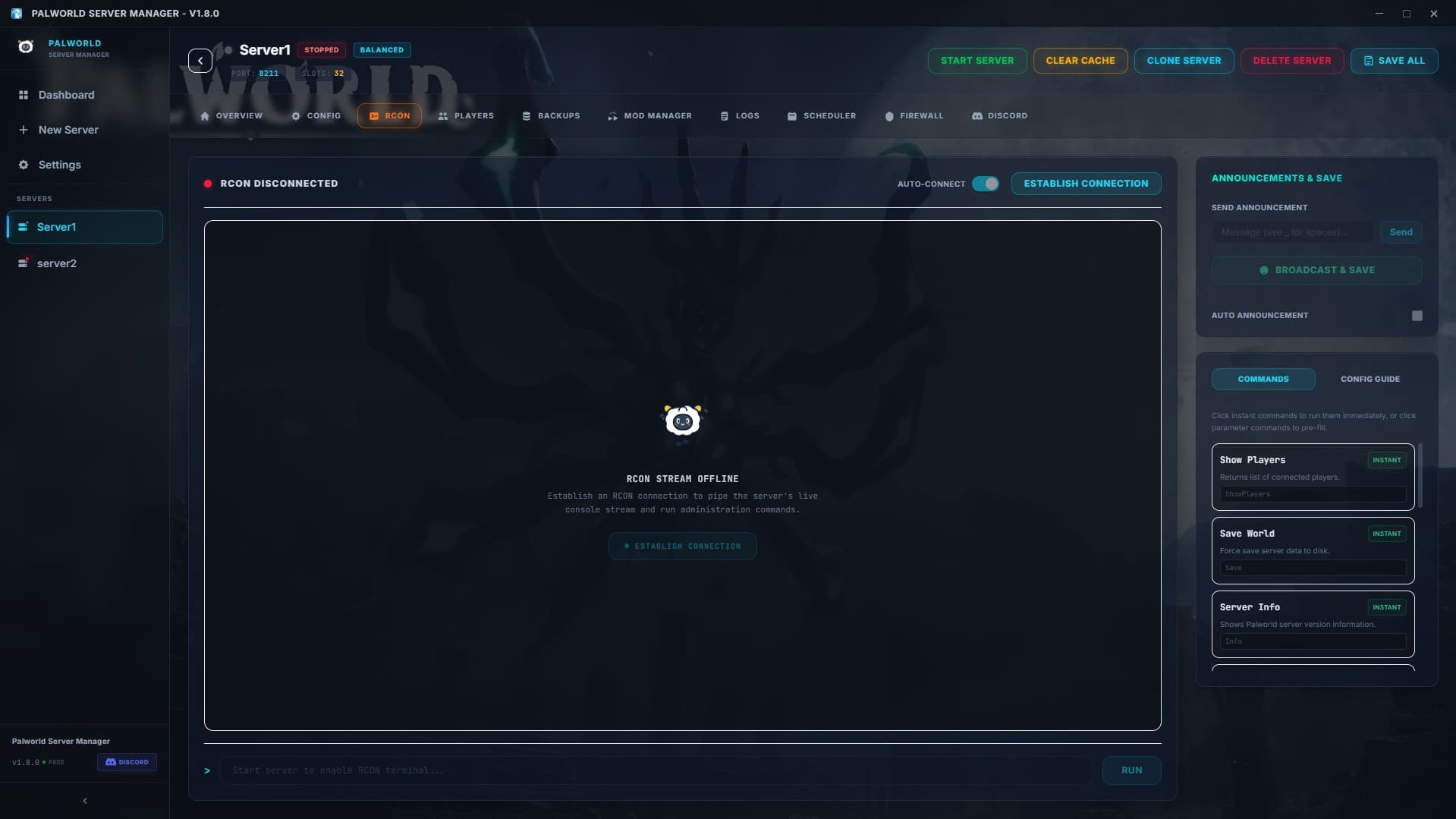
Live RCON Console
Interactive RCON terminal for executing server commands, sending broadcasts, and viewing live logs.

Player Management & Kick/Ban Controls
View connected player list, Steam IDs, ping, and perform instant Kick/Ban/Whitelist operations.
Server Event & Audit Logs
Searchable history of connection events, RCON actions, system alerts, and error logs.
Automatic World & Config Backups
Scheduled incremental backups for Palworld save files with fast one-click rollback functionality.

Scheduled Restarts & Memory Watchdog
Configure automated reboots to flush server memory leaks with customizable countdown broadcasts.

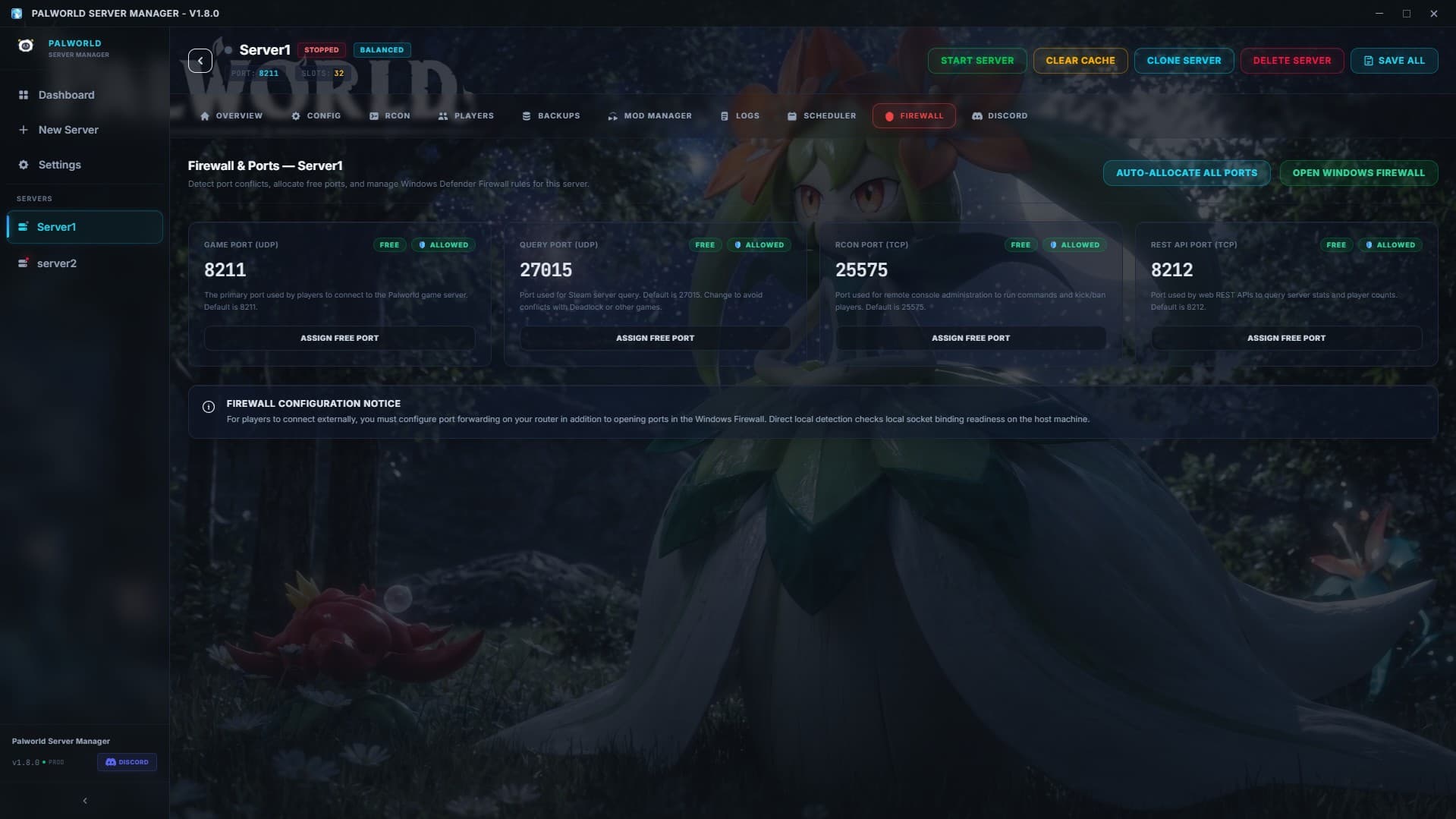
Windows Firewall Rule Injector
Automatically inject and verify Windows Firewall rules for UDP ports 8211, 27015, and RCON 25575.

Port Forwarding & Network Diagnostics
Built-in network tester to verify external server IP visibility, NAT status, and port readiness.
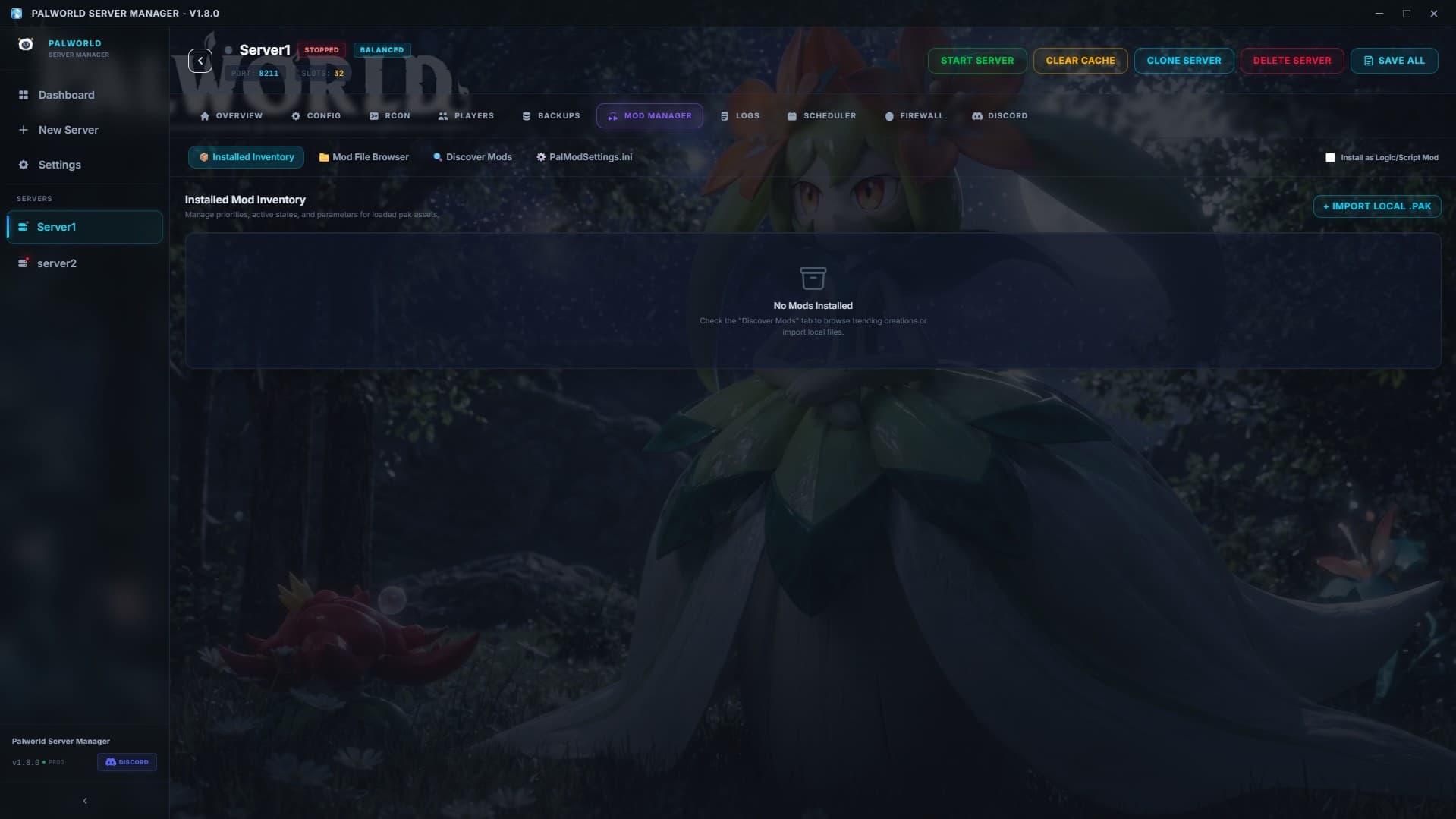
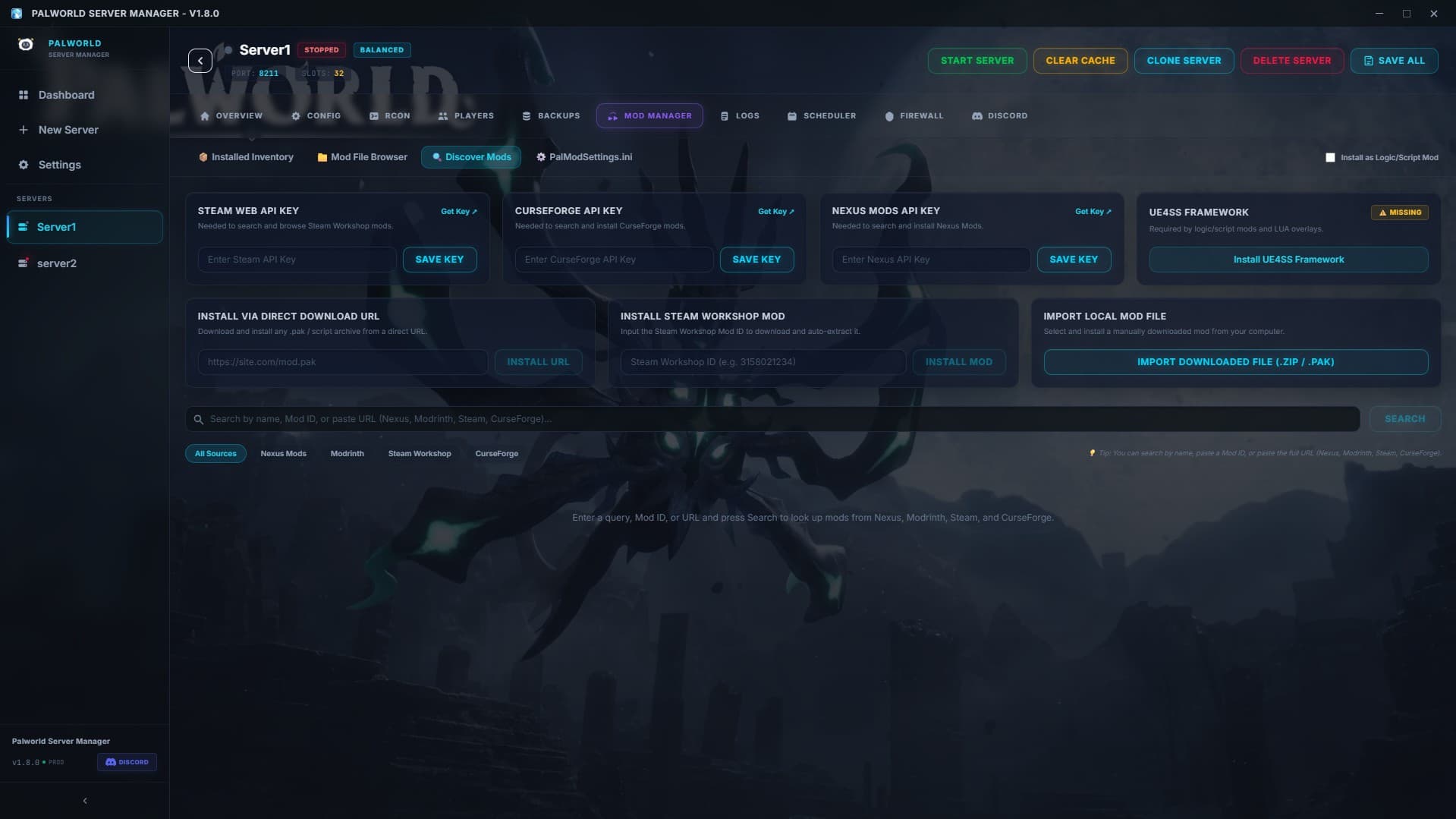
Mod Management & Nexus Integration
Install, toggle, and update server-side mods easily with direct file path management.

CPU Core Affinity & Crash Recovery
Assign dedicated CPU cores to the server process and enable automatic crash auto-restart recovery.
How to Host Your Server
Deploy your dedicated Palworld server in under 5 minutes.
Download PSM
Download the free Windows executable. Zero complex setup required.
Install via SteamCMD
Click 'Install Server' to auto-download SteamCMD & dedicated files.
Configure Server
Set server name, admin password, description, and join credentials.
Adjust Gameplay
Fine-tune EXP rates, capture speeds, egg timers, and PvP rules.
Open Ports & Firewall
Automatically inject Windows Firewall rules for UDP ports 8211 & 25575.
Start Your Server
Click 'Start Server' to launch, monitor live metrics, and enable backups.
Play With Friends
Share your server IP & port and enjoy 24/7 dedicated Palworld gaming!
Watch Setup Guide
Step-by-step video explaining installation, config rules, port forwarding, and live RCON.
Palworld Server Manager Video Guide
Installation, SteamCMD, Port Forwarding, RCON & Auto-Backups tutorial.
Free Software & Hosting Disclaimers
Self-Hosting Flexibility: Host on your own Windows PC, home server, VM, or VPS with full control.
Note on Costs: PSM software is 100% free. Self-hosting may involve independent electricity, hardware, VPS, or internet costs.
Palworld Server Manager is a community open-source project and is not an official Pocketpair product.
Palworld Dedicated Server FAQs
Everything you need to know about setting up, administering, and optimizing your Palworld server.
Start Hosting Your Palworld Server Today
Download Palworld Server Manager for free or join our Discord community for guides and support!